Guides
Field Service Software: A Calgary Buyer's Guide
How Calgary and Alberta teams should compare field service software: dispatch, work orders, offline mobile access, job costing, and GST-ready invoicing.
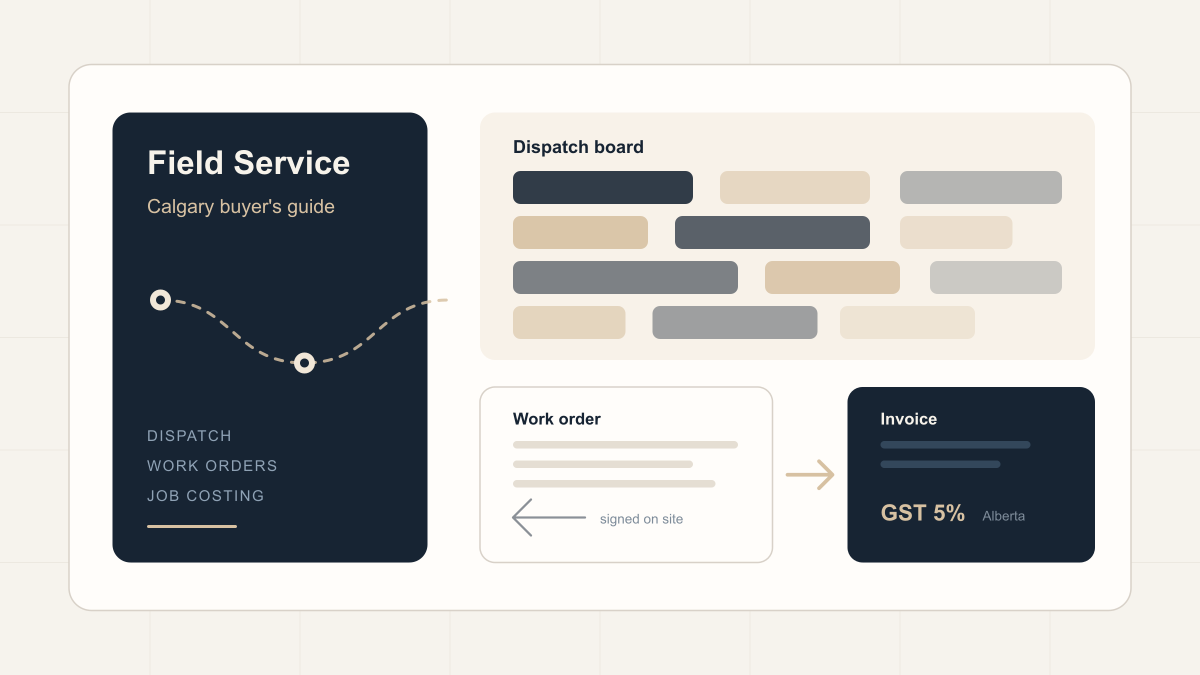
Quick answer: field service software schedules technicians, dispatches them to sites, captures work orders on a mobile app, and turns completed jobs into invoices. Calgary teams should weigh offline mobile access, dispatch flexibility, job costing accuracy, and how cleanly the tool connects to accounting before comparing price.
Local Context
Calgary and Alberta field operations cover trades, oilfield services, HVAC, electrical, mechanical contracting, and equipment maintenance. Most of these teams work across a wide geography, often outside reliable cell coverage, and bill against jobs, where margin is measured one job at a time. That combination puts specific pressure on software selection: the mobile app has to work in a mechanical room or on a lease road, and the job record has to carry enough detail to cost the work honestly.
Alberta also simplifies one thing. The province charges 5% GST and has no provincial sales tax, so invoicing configuration is less complex here than in provinces with PST or HST.
Where Field Teams Actually Lose Money
Most losses happen in the gaps between jobs. Common patterns:
- Dispatch runs on phone calls and text messages, so a sick day disrupts the whole schedule.
- Work orders come back late, incomplete, or in handwriting nobody can read.
- Invoicing lags days or weeks behind the work, which slows cash flow.
- Nobody can answer what was done for a customer last visit without searching paper files.
- Technicians re-drive across the city because routing depends on memory.
- Parts consumed on jobs never reconcile against counted stock.
Two or three of these together usually signal that spreadsheets and paper have reached their limit.
What the Software Category Covers
A field service platform generally includes:
- Scheduling and dispatch: assigning work by skill, location, and availability on a single board.
- Work orders: a digital job ticket with the site, task, checklist, and parts used.
- Mobile field app: time logging, photos, customer signature, and job close-out from the field.
- Parts and inventory: tracking what left the van so stock and job costs stay accurate.
- Invoicing: converting a completed work order into a GST-ready invoice.
- Service history: every visit, quote, and asset in one record.
Evaluation Criteria
| Criteria | Why it matters for Calgary teams |
|---|---|
| Offline mobile app | Rural sites and mechanical rooms lose signal. The app must keep working and sync later. |
| Dispatch board flexibility | Reassigning a job when a technician calls in sick should take seconds on a board. |
| Work-order-to-invoice flow | The faster a finished job becomes an invoice, the faster the business gets paid. |
| GST handling | Alberta is GST-only at 5%. Invoicing should reflect that cleanly from the start. |
| Job costing accuracy | Margin analysis depends on labour and parts landing against the right job. |
| Recurring and preventive maintenance | Contract work is predictable revenue and should schedule automatically. |
| Accounting connection | Either native accounting or a reliable, tested integration. |
| Reporting | First-time-fix rate and days-to-invoice are hard to improve without measurement. |
Three Categories of Tools
Dedicated field service platforms
Products built specifically for field service, such as Jobber, ServiceTitan, and Housecall Pro, are quick to deploy and strong on scheduling and dispatch. The trade-off appears later: accounting, purchasing, and inventory typically live elsewhere, so teams end up maintaining several systems and syncing data between them.
Accounting software with add-ons
Some teams extend QuickBooks or Sage with field service add-ons. This holds at small scale. Once scheduling, parts, and several technicians are involved, the seams tend to show.
Business platforms with a field service module
Broader systems such as Odoo, Zoho, and Microsoft Dynamics run field service alongside accounting, inventory, purchasing, and CRM on shared data. Setup takes longer at the start. The benefit is that the work order, the parts it consumed, and the invoice it produced stay connected end to end. Teams weighing this route should be honest about implementation capacity, because these platforms reward a deliberate configuration and punish a rushed one.
There is no universally correct category. A three-technician shop with simple billing is often well served by a dedicated tool. A growing company running job costing, inventory, and multiple service lines usually benefits from consolidation.
Alberta-Specific Considerations
- Tax: Alberta is GST-only at 5% with no PST, so tax setup is simpler than in most provinces.
- Connectivity: oilfield and rural work makes offline capability a hard requirement.
- Compliance: attaching certificates, safety checklists, and job photos to the work order keeps documentation with the job.
- Seasonality: HVAC, landscaping, and snow-and-ice crews swing sharply by season, and recurring-contract scheduling smooths the peaks.
Implementation Approach
- Map the current job-to-invoice flow on one page before shopping. The software is being bought to fix that flow.
- Start with one crew or one service line, confirm it works, then expand.
- Migrate only the customers and assets still in service. Leave dormant data behind.
- Train on the mobile app first. Field adoption tends to pull office adoption along with it.
- Measure days-to-invoice and first-time-fix rate before and after. Those two numbers show whether the change worked.
Related Reading
- Field Service Software In Calgary covers the category page for local platform options.
- Calgary Business Software Planning Guide covers sequencing across job costing, accounting, and implementation capacity.
Frequently Asked Questions
- What is field service software?
- A system that schedules technicians, dispatches them to job sites, captures work orders on a mobile app, and turns completed jobs into invoices. It replaces paper work orders, whiteboards, and spreadsheets with one connected record per job.
- How much does field service software cost in Canada?
- Dedicated tools are usually priced per technician per month, and cost rises with users and features. Broader business platforms are priced by app and user, which can compare favourably once the separate accounting, inventory, and CRM tools they replace are accounted for. Implementation is often the larger cost, so it should be scoped before comparing subscription prices.
- Does field service software work offline?
- The credible options do. For Alberta work, a mobile app that functions without signal and syncs on reconnection is a baseline requirement, because oilfield sites and mechanical rooms routinely lose coverage.
- Is a separate accounting system required?
- With a dedicated field service tool, usually yes, which means maintaining an integration. With an all-in-one platform, field service and accounting share the same data, so a closed work order becomes an invoice without re-entry.
- How long does a field service implementation take?
- A single-crew rollout on a dedicated tool can run in weeks. A multi-service-line rollout on a full business platform more commonly runs across several months, depending on data cleanliness and internal capacity.
- How is field service software taxed in Alberta?
- Alberta charges 5% GST and has no provincial sales tax, so invoicing configuration is simpler than in provinces with PST or HST. Invoices should apply GST cleanly from the first job.