The Problem with Generic Software in Construction
Most business software was built for companies that sell products from a warehouse. Construction does not work that way. You have jobs that run for months, costs that shift daily, subcontractors who invoice on their own schedules, and equipment that moves between sites. Generic accounting software and spreadsheets can track some of this - but they break down once you are running more than a handful of active projects.
Calgary’s construction industry has additional complexity that companies in other cities do not always deal with. Oil and gas adjacency means your projects might span industrial, commercial, and residential work - each with different billing structures. Alberta’s safety regulations require documentation that many software systems were not designed to handle. And seasonal work patterns mean your cash flow planning needs to account for months where revenue drops significantly.
What Construction Companies Actually Need from Technology
Job Costing That Works in Real Time
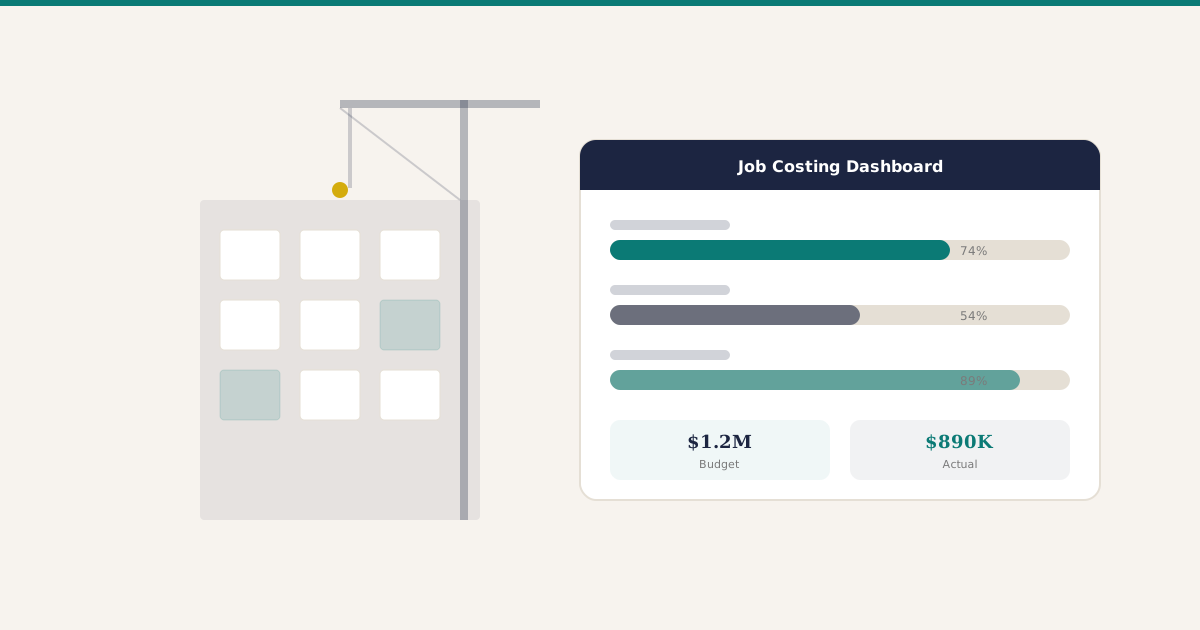
If you cannot see your costs against budget on a per-job basis - updated daily, not monthly - you are flying blind. The margin on a Calgary construction project can disappear in a week of untracked change orders. Your system needs to track labour hours, material costs, equipment usage, and subcontractor invoices against each project in real time.
Equipment and Asset Tracking
Between owned equipment, rentals, and leased vehicles, most Calgary contractors are managing a significant asset base. You need to know where every piece of equipment is, what it costs per hour to operate, and when maintenance is due. This is especially important for companies working across multiple sites in the Calgary region.
Subcontractor Management
Your subcontractors are not your employees - but their work directly affects your margins and timelines. You need a system that tracks subcontractor agreements, manages holdbacks, handles progress billing, and gives you visibility into which subs are reliable and which ones cost you money.
Progress Billing and Change Orders
Construction billing is nothing like retail or services billing. You bill based on percentage of completion, you deal with holdbacks, and change orders can completely reshape a project’s financials. Your technology needs to handle all of this without manual workarounds.
Safety and Compliance Documentation
Alberta’s occupational health and safety requirements are strict - and getting stricter. Your system should help you track safety certifications, incident reports, toolbox talks, and COR audit documentation. Paper-based systems and shared drives create gaps that auditors will find.
Software Options for Calgary Construction Companies
There is no single best platform for every contractor. The right choice depends on company size, project types, and which pain points matter most. Here is a realistic look at what is available.
Procore is the dominant name in construction project management. It handles project documents, RFIs, submittals, scheduling, and field reporting well. It is strong on collaboration between owners, GCs, and subs. The trade-off is cost - Procore’s pricing scales with your annual construction volume, and it does not include accounting, so you still need a separate financial system.
Sage 300 CRE (formerly Timberline) is the industry standard for construction accounting and job costing in North America. If your accountant has a construction background, they probably know Sage. It handles progress billing, holdbacks, and Alberta Builders’ Lien Act timelines natively. The downside is that the interface feels dated, and the project management side is weaker than Procore.
Jonas Construction Software is built specifically for specialty and mechanical trades. If you are a plumbing, HVAC, or electrical contractor, Jonas is worth evaluating. It combines service management, job costing, and accounting in one system tailored to how trades actually work.
Odoo is a general-purpose ERP that covers project management, job costing, inventory, equipment tracking, and accounting in one integrated platform. It is not construction-specific out of the box, but it can be configured for most of what a Calgary contractor needs. The main draw is cost - it runs significantly cheaper than Sage or Procore for similar functionality. The trade-off is that construction-specific features like holdback management and safety compliance require configuration rather than being ready to go on day one.
BuilderTREND targets residential builders and remodelers specifically. If your work is primarily residential construction, it handles client communication, scheduling, selections, and change orders in a way that makes sense for that market. It is less suited for commercial or industrial work.
Where each option fits best:
- Large GCs running complex commercial projects - Procore for project management, Sage 300 CRE for accounting
- Specialty and mechanical trades - Jonas
- Small to mid-size contractors wanting one integrated system - Odoo
- Residential builders and remodelers - BuilderTREND
- Companies that need strong accounting first and can add project management later - Sage 300 CRE
Areas that need attention regardless of platform:
- Safety compliance modules need to be configured specifically for Alberta OHS requirements
- Equipment costing and allocation require setup to match how contractors actually track usage
- Holdback management should be tested against Alberta’s Builders’ Lien Act timelines before go-live
Questions to Ask When Evaluating Construction Software
Before talking to any vendor, work through these questions with your team. The answers will narrow your options faster than any demo.
What is your biggest pain point right now? If it is job costing accuracy, focus on platforms with strong real-time cost tracking. If it is document control and collaboration with subs, look at Procore or similar project management tools.
Do you need one system or two? Some contractors run a project management tool alongside a separate accounting system. Others want everything in one place. Both approaches work - but the integration between them matters.
What does your team actually use today? If your PMs live in spreadsheets and your accountant uses Sage, switching both at once is risky. A phased approach that tackles the biggest gap first tends to go better.
What is your real budget - including implementation? Software licensing is only part of the cost. Implementation, training, data migration, and the productivity dip during transition all add up. Get quotes that include the full picture.
How will field staff interact with the system? If your supervisors need to log time and materials from job sites on a phone or tablet, test that workflow specifically. A great desktop experience means nothing if the mobile side is clunky.
Can the system handle Alberta-specific requirements? Progress billing with holdbacks, COR documentation, WCB reporting - make sure the platform handles these natively or with minimal customization.
Not every company needs a full ERP, and not every ERP is right for construction. The key is understanding your specific pain points before you start shopping for software.